
AI Automated Retainer and Fee Agreement Generation Workflow for Law Firms
Overview
This workflow automates the creation of retainer agreements and fee arrangements by using intake data, matter type, and firm-defined templates. The goal is to eliminate repetitive drafting, prevent omitted clauses, ensure compliance with jurisdictional rules, and accelerate the conversion of new leads into clients.
How Automated Retainer Generation Works
AI uses structured intake data and matter type to determine which template is needed. It fills in client names, party names, matter descriptions, fee terms, billing arrangements, and jurisdiction-specific requirements. It can adjust clauses based on complexity, urgency, or risk. It can also flag missing information that prevents the agreement from being finalized. The result is a complete retainer agreement that is ready for attorney review and e-signature.
Workflow Steps
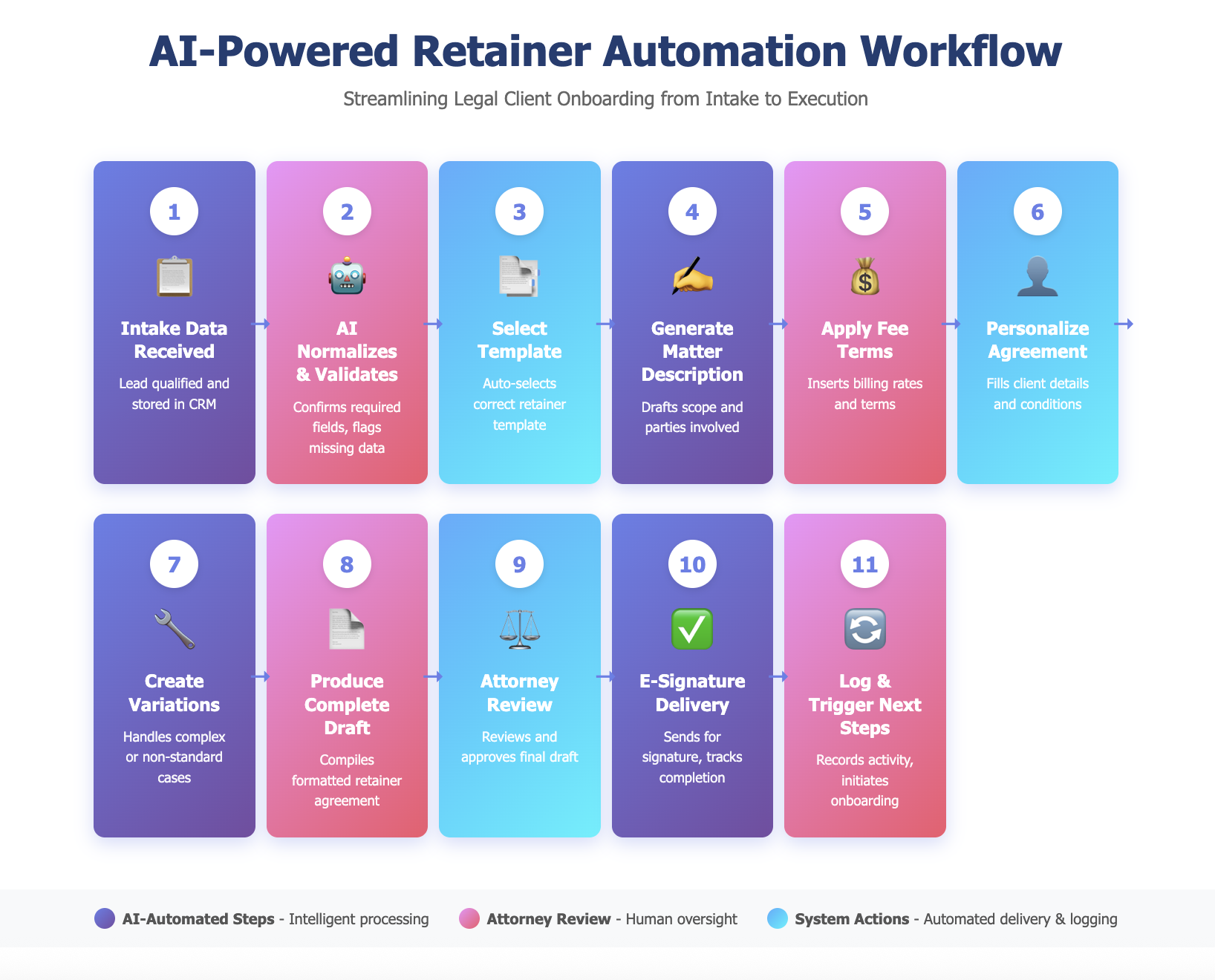
Step 1: Intake Data Received
The workflow begins when a new lead is qualified and the required intake information is stored in the CRM. This includes the client name, contact details, matter type, opposing parties, and any special conditions.
Step 2: AI Normalizes and Checks Required Fields
AI reviews the data to confirm that all required information for the retainer is present such as client name, address, matter description, and fee structure. Missing entries are flagged for correction before drafting begins.
Step 3: AI Selects the Correct Template
AI uses decision logic to select the template. For example: Personal Injury + Plaintiff = Contingency Template A. Employment + Defense = Hourly Template B. Real Estate + Transaction = Flat Fee Template C. If multiple templates match, AI flags for attorney selection.
Step 4: AI Generates Matter Description
AI drafts a clear and accurate matter description using the intake information. This may include the nature of the dispute, the parties involved, and the scope of representation. It can adjust the tone and level of detail based on firm preferences.
Step 5: AI Applies Fee Terms and Billing Rules
AI inserts the correct billing terms for the matter including hourly rates, contingency percentages, flat fee amounts, or hybrid billing. It also inserts jurisdictional requirements such as trust account language, cost reimbursement terms, and termination clauses when needed.
Examples of jurisdictional requirements: California requires specific trust account language. New York requires written explanation of billing rates. Texas requires termination rights disclosure. AI inserts the correct clauses based on the firm’s jurisdiction.
Step 6: AI Personalizes the Agreement
AI fills in all client-specific details including names, addresses, matter identifiers, deadlines, and communication preferences. It integrates any special conditions gathered during intake such as limited scope representation or urgent timelines.
Step 7: AI Creates Variations for Special Cases
If the matter has unique features such as multiple clients, corporate entities, or mixed fee structures, AI generates variations of the document that match the specific complexity. This ensures accuracy for non-standard cases.
Examples include adjusting signature blocks for multiple signers, adding corporate authorization language, or creating tiered fee schedules for phased work. For joint representation, it includes conflict waiver language.
Step 8: AI Produces a Complete Draft
AI compiles all sections into a complete retainer agreement. This includes headers, signature blocks, jurisdictional notices, billing terms, and matter descriptions. The document is formatted to the firm’s style and can be exported to Word or PDF.
Step 9: Attorney Reviews and Approves
The draft is then sent to the responsible attorney for review. AI can generate a summary of the key terms to speed up the approval process. The attorney can edit language or request changes as needed.
Step 10: AI Sends Agreement for E e-signature
When approved, the system sends the retainer to the client through an e-signature platform. It tracks delivery, opens, and completion status. Once signed, the agreement is automatically stored in the CRM or document management system.
If the agreement remains unsigned after 48 hours, AI sends an automated reminder and notifies the assigned attorney.
Step 11: AI Logs Activity and Triggers Next Steps
The system records the generation, review, and signature in the CRM and triggers the next workflow such as creating a matter in the PMS, initiating onboarding tasks, or scheduling a kickoff call.
Why This Workflow Matters
Retainer agreements are one of the most common documents law firms prepare. They must be accurate, clear, and compliant with ethical rules. Manual drafting often repeats the same work and increases the risk of inconsistency or missing terms. Automating retainer generation speeds up onboarding, reduces admin burden, ensures every agreement includes the correct clauses, and gives clients a faster and more professional experience. It also standardizes language so firms do not rely on outdated versions stored in random folders or emails.