
Law Firm Intake Form to CRM Sync AI Workflow
Overview
This workflow automates the movement of client intake information from a web form into the firm’s CRM or practice management system. The sequence is designed so that AI intelligence informs creation, routing, and task assignment from the start rather than after the record is already in the system.
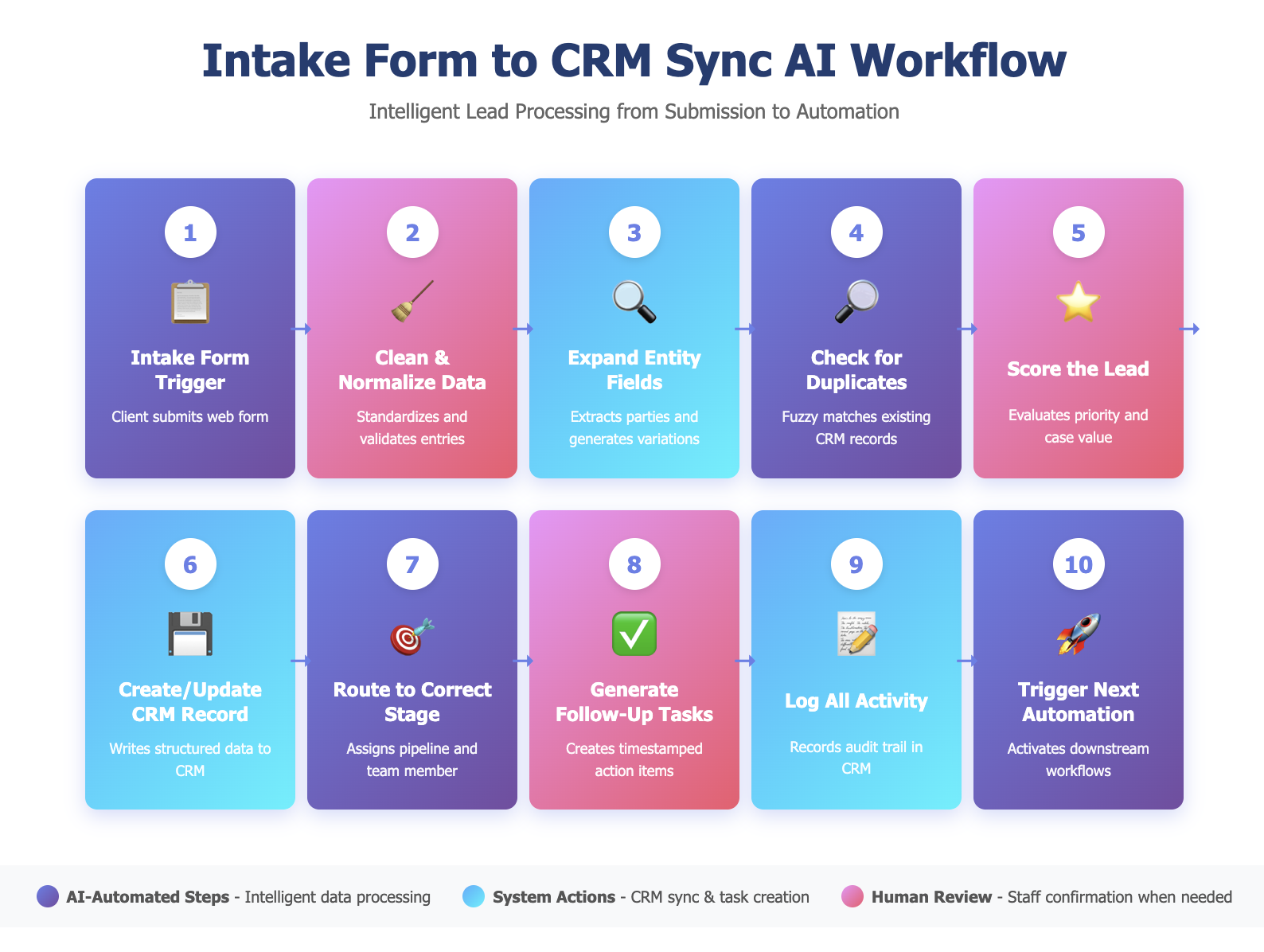
Step 1: Intake Form Trigger
A potential client submits a web-based intake form that collects core information such as contact details, matter type, opposing parties, urgency, and preferred communication method. This submission activates the workflow.
Step 2: AI Cleans and Normalizes Data
AI reviews the form content for missing fields, formatting inconsistencies, and typographical issues. It standardizes names, addresses, phone numbers, and email formatting and marks incomplete or ambiguous entries for staff review when necessary.
Step 3: AI Expands and Structures Entity Fields
AI extracts entities from free text including opposing parties, related individuals, corporations, insurance carriers, and key facts. It also generates variations of each name to support conflict checks and downstream workflows.
Step 4: AI Checks for Duplicate Records in the CRM
AI searches existing records using exact matching, fuzzy matching, and semantic similarity to avoid duplicate entries. It identifies likely matches and requests staff confirmation when ambiguity is detected.
Step 5: AI Scores the Lead
AI evaluates the intake based on matter type, urgency, predicted case value, keywords, prior firm history, and completeness of information. The goal is to establish priority before writing to the CRM so the record is created with the correct tags and attributes from the beginning.
Step 6: AI Creates or Updates the CRM Record
If no duplicate exists, AI creates a new record that includes all structured fields and the lead score. If a match is found, AI updates the existing record with new data. All entries follow a consistent schema that aligns with the firm’s CRM conventions.
Step 7: AI Routes the Lead to the Correct Stage
Based on the lead score, matter type, and firm rules, AI assigns the record to the correct pipeline stage such as new lead, needs conflict check, needs retainer, or consultation scheduled. The lead is also assigned to the appropriate team member or practice group for follow up.
Step 8: AI Generates Follow-Up Tasks
AI creates tasks such as call attempts, email follow ups, conflict check initiation, or document requests. Each task is timestamped and assigned to the correct owner based on the routing decisions made in the previous step.
Step 9: AI Logs All Activity in the CRM
The system writes an audit trail that includes the data received, the lead score, the duplicate detection result, and all actions taken during the sync. This provides transparency and supports compliance and internal accountability.
Step 10: AI Triggers the Next Automation in the Client Lifecycle
When the sync and routing are complete, AI activates the next relevant automation such as conflict checking, identity verification, retainer preparation, consultation scheduling, or sending a firm introduction email. This ensures the intake process continues without manual intervention.